
TikTok Follower Viewer — View Public Followers Anonymously
See a public account's followers without logging in. Enter a username to start.
Public accounts only · No login · Nothing to install
See who follows a public TikTok account
A follower list is a map of the people who chose to keep up with an account. Looking at it can help you understand an audience, check whether a profile is followed by accounts you recognize, or find your way to a community around a creator. Viewoo opens that list in the browser, without asking you to sign in.
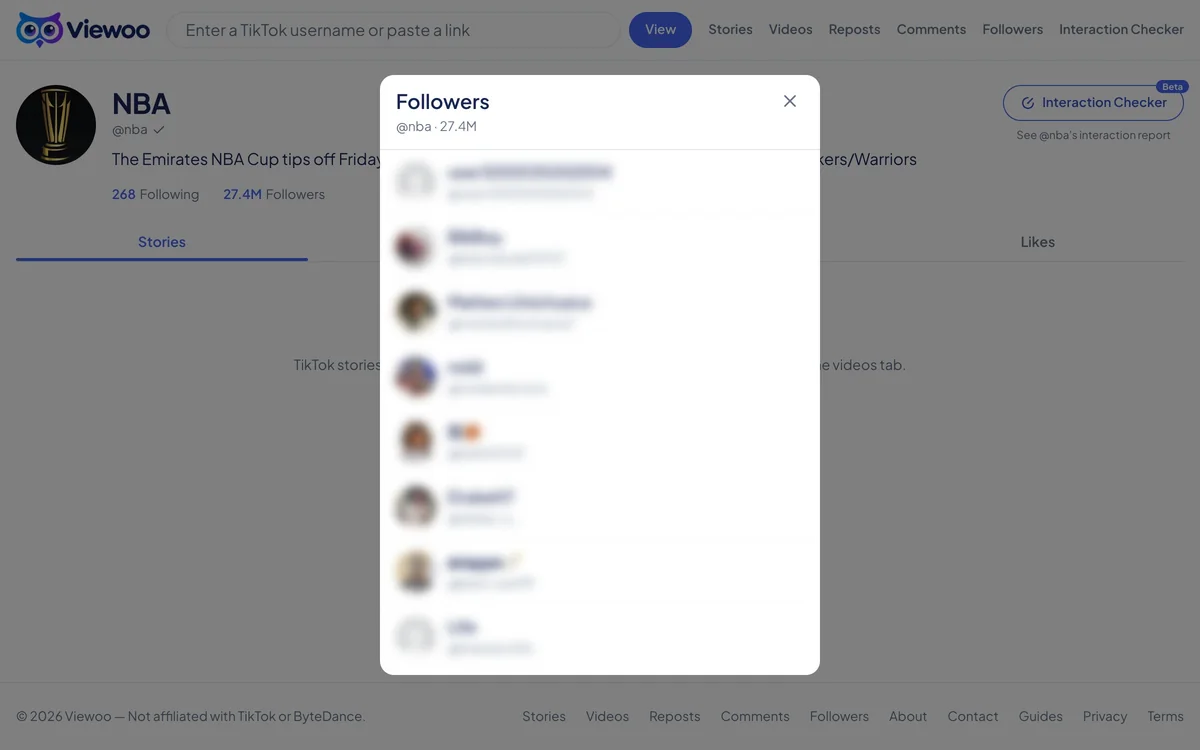
Enter a public username above. The profile loads and its followers list opens on top of it, with each row showing a username, avatar, and verified badge where TikTok provides one. Scroll to load more, or open any follower’s row to visit that person’s profile and see what they post. The list loads a page at a time, so reaching the end depends on what TikTok returns.
Not every account exposes its followers. If the owner has hidden the list, Viewoo cannot show it, and private accounts are out of reach. Very large accounts may also return only part of their audience.
This is different from seeing who viewed your own profile. A follower viewer lists the people who follow an account publicly; it does not reveal profile visitors, and it cannot show a private list. For your own visitors, TikTok’s in-app Profile view history setting is the relevant place.
How it works
- 1
Enter a public account
Type the username with or without the @, or paste the profile URL. The account’s follower list has to be visible to everyone.
- 2
Open the followers panel
Viewoo loads the profile and opens its followers list over it, with each row showing a username, avatar and verified badge where available.
- 3
Browse or visit a follower
Scroll to load more rows. Select any follower to open that person’s profile and continue from there.
What you can and can't see
What you can see
- The public followers list of an account
- Each follower’s username, avatar and verified badge
- More followers as you scroll
- A link from any follower to their own profile
What you can't see
- Private accounts or their followers
- Follower lists an account has hidden
- Every follower of a very large account, if TikTok doesn’t expose them
- Who viewed your own profile
FAQ
How do I see someone's TikTok followers without an account?
Enter a public username above. Viewoo opens the profile and its followers list, and you can browse the list without signing in.
Can I see who viewed my TikTok profile?
No third-party tool can show who viewed your profile — that data isn’t public. TikTok itself has a Profile view history setting inside the app; see TikTok’s official help center for how it works. TikTok help center
Will the account know I opened its follower list?
The follower list is public data, and Viewoo does not sign in or interact with the account. Opening it here creates no follow, like, or view that the owner can see.
Can I see followers of a private account?
No. A private account’s followers aren’t public, so Viewoo shows a private-account notice instead of the profile.
Why is the list incomplete?
The followers list loads a page at a time. Some accounts hide their list, and TikTok may not expose every follower for very large accounts; Viewoo shows what the public data returns.
Related tools
TikTok Story Viewer
Active stories from a public profile, opened as a grid of full-size thumbnails.
TikTok Video Viewer
The recent videos and photo posts on a public profile, with captions and counts.
TikTok Repost Viewer
What an account has reposted, with the original author on every card.
TikTok Comment Viewer
The public comments and replies under a TikTok video.
Related guide
How TikTok Viewer Sites Work — and How to Tell a Good One
Where these sites get their data, what none of them can reach, and three questions that separate a real one from a page that just wants your password.