
TikTok Comment Viewer — Read Comments & Replies Anonymously
Paste a public TikTok video link to read its comments and replies. No account needed.
Public videos only · No login · Nothing to install
Read a TikTok comment thread without the app
A TikTok comment thread often carries the useful part of a video: questions, corrections, jokes, and replies that never make it into the clip itself. When a video link is already in front of you, opening the app just to read the thread can be more work than the thread is worth. Viewoo is built for that moment.
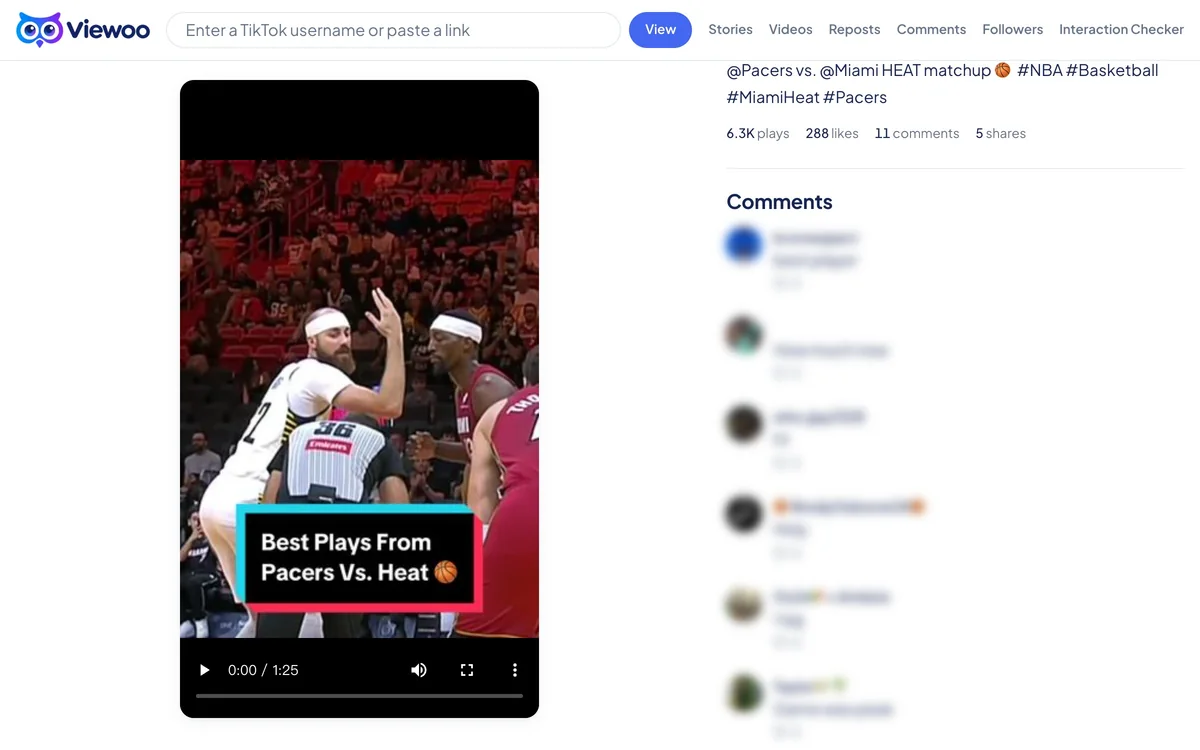
Paste a public video link into the box above. A full TikTok URL works, and so does a vm.tiktok.com share link — the short form you get when someone sends a video in a message. Viewoo resolves the link, opens that video’s page, and expands the comment section so the conversation is on screen rather than hidden behind a button.
You can read top-level comments and open one level of replies, then load more as you go. Each comment shows its author’s name and avatar. The viewer does not search or filter comments by commenter, and it cannot read replies to replies because the public data stops at one level. Comments that a creator turned off, limited, or deleted are not available either.
Nothing is installed and no account is used. The video and its comments simply need to be public.
How it works
- 1
Copy the video’s link
Use the full TikTok video URL or the short vm.tiktok.com link from the share sheet. A profile link is not enough, because comments belong to a single video.
- 2
Open the thread in place
Viewoo resolves the link and loads that video with its comment section already open, so the conversation appears without an app handoff.
- 3
Read comments and open replies
Scroll the top-level comments, open View more replies for one level of answers, and load more of the thread as you go.
What you can and can't see
What you can see
- Public top-level comments on the video
- One level of replies under a comment
- Each commenter’s name and avatar
- More comments and replies as you load them
What you can't see
- Comments on private or deleted videos
- Comments a creator has turned off or limited
- Replies to replies — the data source only exposes one level
- A search or filter for one commenter’s comments
FAQ
How do I read TikTok comments without an app or account?
Paste a public video link above. Viewoo opens the video page with the comment section expanded, and you can read the thread in the browser without installing anything or signing in.
Can I see all replies to a comment?
Viewoo shows top-level comments and one level of replies. Use View more replies to load more of a thread; the reply count TikTok reports can be understated, and replies to replies are not exposed by the data source.
Can I find comments by a specific user?
The comment viewer does not support searching or filtering comments by commenter. You can read the thread and see each commenter’s name and avatar, but you cannot jump to one person’s comments.
Does reading a comment thread notify the video’s creator?
No. Viewoo reads the public comment data without an account and never posts, likes, replies, or follows. The creator cannot see that the thread was opened here.
Why can't I see comments on some videos?
The creator may have turned comments off or limited them, or the video may be private or deleted. Viewoo only reads public comments, so a video with no visible comments may simply have none available.
Related tools
TikTok Story Viewer
Active stories from a public profile, opened as a grid of full-size thumbnails.
TikTok Video Viewer
The recent videos and photo posts on a public profile, with captions and counts.
TikTok Repost Viewer
What an account has reposted, with the original author on every card.
TikTok Follower Viewer
The public followers list behind a TikTok account.
Related guide
What Happens When You Paste a TikTok Link
Four things, in order: we read the username, ask a third-party service for that account’s public data, build a page, and show it. No account, no password.